Deskathon
Open Settings
Settings is a page in the main window. Open it in any of these ways:
- Click Settings in the sidebar of the main window.
- Press ⌘,.
- Right-click the menu bar item and choose Settings….
- In the panel, choose the ⋯ menu › Settings….
The right-click menu and the panel’s ⋯ menu open the General pane. The panes run along a bar at the top: General, Displays, Keyboard, Privacy & Data, Pro and About. Use the ← and → keys to move between them.
General
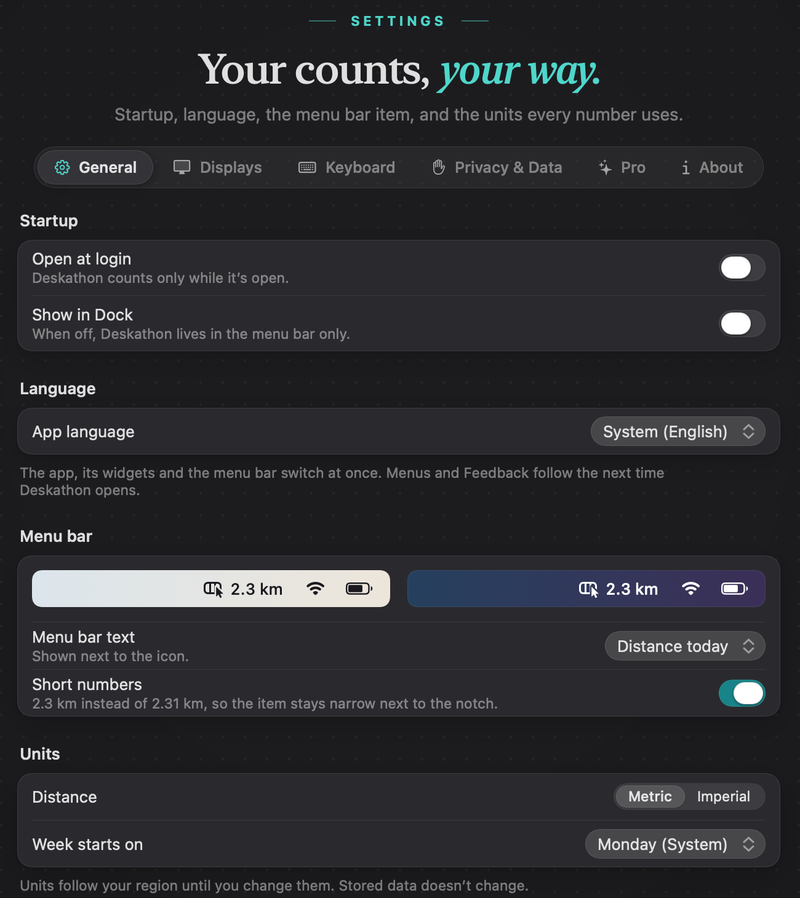
Startup, language, the menu bar item and units.
Startup
| Open at login | Starts Deskathon when you log in. Deskathon counts only while it’s open. Off at first. |
|---|---|
| Show in Dock | Adds a Dock icon. When off, Deskathon lives in the menu bar only. Off at first. The change takes effect at once. |
If macOS needs your approval for Open at login, Deskathon shows Open at login isn’t on yet. Allow Deskathon in System Settings › General › Login Items. The alert has an Open System Settings button.
Language
App language starts as System, which follows your Mac, and lists the shipped languages by their own names. The app, its widgets and the menu bar switch at once. Menus and Feedback follow the next time Deskathon opens.
Menu bar
A live preview on a light and a dark strip shows what the item will look like.
| Menu bar text | What is shown next to the icon: Distance today (the default), Clicks today, Scroll today, Keys today or None (icon only). |
|---|---|
| Short numbers | On at first. Shows a distance as 2.3 km instead of 2.31 km, so the item stays narrow next to the notch. |
Keys today is offered only while keyboard counting is on.
Units
| Distance | Metric or Imperial. |
|---|---|
| Week starts on | System, with your Mac’s current choice in parentheses, for example Monday (System), or any of the seven weekdays. |
Units follow your region until you change them. Stored data doesn’t change, only how it is shown.
Quit
The last row, Quit Deskathon, has a Quit button. Nothing is counted until you open Deskathon again.
Displays
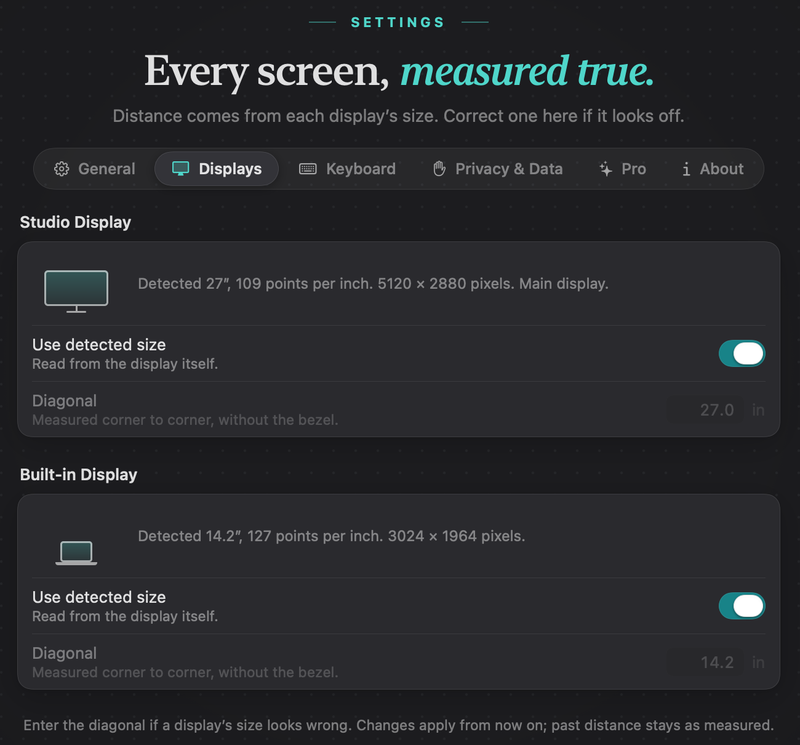
Deskathon measures distance with each display’s physical size. Displays lists every display it has seen, connected ones first. With none, it says No displays seen yet.
Each display shows when it was last seen, whether it is the main display, its pixel size, and either Detected followed by its size and points per inch, or Corrected to your size.
| Use detected size | On: Deskathon reads the size from the display itself. Off: it uses the diagonal below. |
|---|---|
| Diagonal | The display measured corner to corner, without the bezel. Always in inches, from 5 to 120. Use the field, the stepper or ↑ and ↓ (0.1 at a time). Dimmed while Use detected size is on. |
If you enter a size of zero or less, the field says Enter a size greater than zero. Changes apply from now on. Past distance stays as measured.
For how the size turns into distance, see How counting works.
Keyboard
The optional key count has its own pane: the Count key presses switch, the Input Monitoring status, a list of what is and isn’t counted, and Delete Keyboard Counts…. See Keyboard counting.
Privacy & Data
Pause counting, export or erase your data, show where it lives and choose what VPO Labs receives. Everything on this pane is free. See Privacy and your data.
Pro
Shows Deskathon Pro with a Not purchased or Purchased label, what Pro adds, the buy button and Restore Purchases. See Deskathon Pro.
About
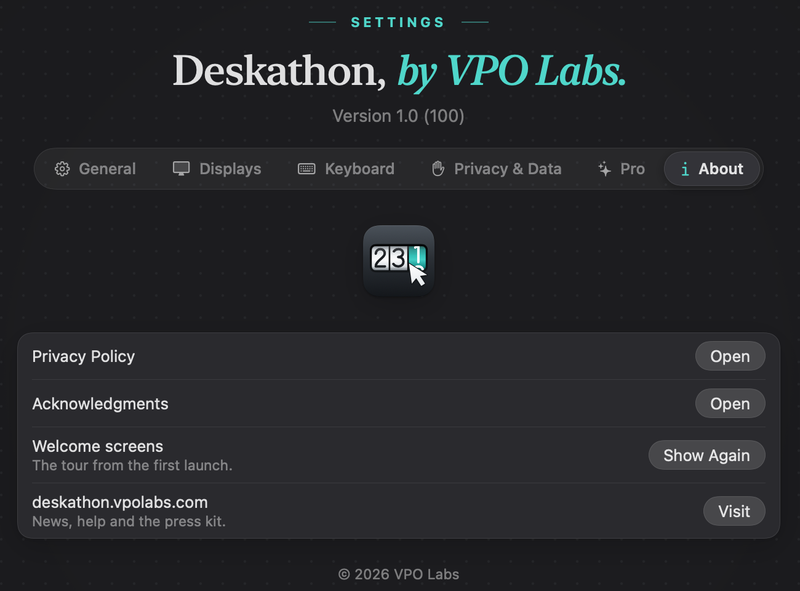
Shows the version and build number, such as Version 1.0 (2), and a line that starts Counting since with the date and your distance so far.
| Privacy Policy | Open shows the privacy policy. |
|---|---|
| Acknowledgments | Open shows the acknowledgments page that comes with Deskathon. |
| Welcome screens | Show Again replays the welcome from the first launch. |
| Help | In versions after 1.0, Open opens this guide in your browser. |
| deskathon.vpolabs.com | Visit opens the website: news, help and the press kit. |