 Deskathon
Open the share sheet
You can open Share a card from three places:
- The Share button in the toolbar of any data tab.
- In the panel, the ⋯ menu › Share….
- In the menu bar at the top of the screen, File › Share… while the main window is in front.
The sheet opens on a card that fits where you were. From History it opens on the week card, from Lifetime on the lifetime card, and everywhere else on Today. Without Pro, History opens on Today with the week card locked.
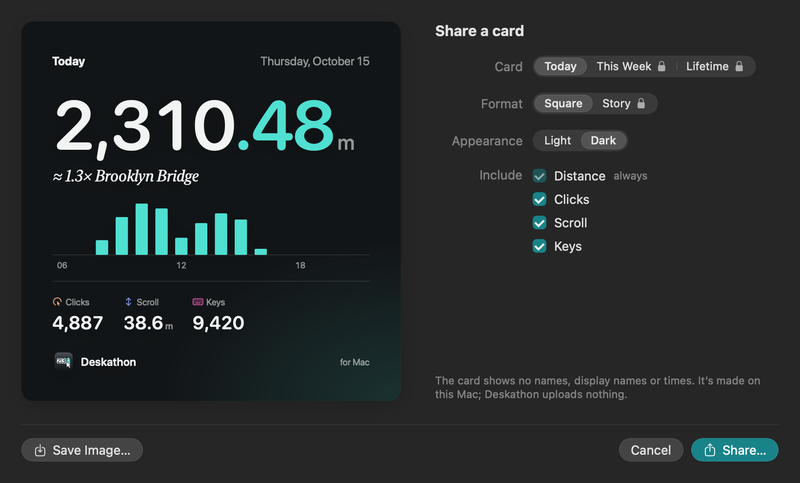
Choose what the card shows
The preview on the left updates as you change the options on the right.
| Option | Choices | Notes |
|---|---|---|
| Card | Today, This Week, Lifetime | Today is free. This Week and Lifetime need Pro. |
| Format | Square, Story | Square is 1080 × 1080 pixels. Story is 1080 × 1920 pixels. Story needs Pro. |
| Appearance | Light, Dark | The sheet opens on Dark. |
| Include | Distance, Clicks, Scroll, Keys | Distance is always on. The others are checked at first; uncheck any you don’t want. |
The Keys checkbox appears only while keyboard counting is on.
Below the options, the sheet reminds you: the card shows no names, display names or times. It’s made on this Mac, and Deskathon uploads nothing.
Save or share the card
- Choose the card, format, appearance and what to include.
- Click Save Image… to save a PNG. In the Save Card Image panel, choose a place and click Save. The file name starts with “Deskathon”, followed by the card, for example “Deskathon This Week”.
- Or click Share… to hand the image to the macOS share picker, then choose where it goes, such as Messages or Mail.
Click Cancel or press Escape to close the sheet without saving. Return chooses Share….
If the image can’t be saved, a line under the options reads Couldn’t save the image. Choose another location and click Save Image… again.
What a card contains
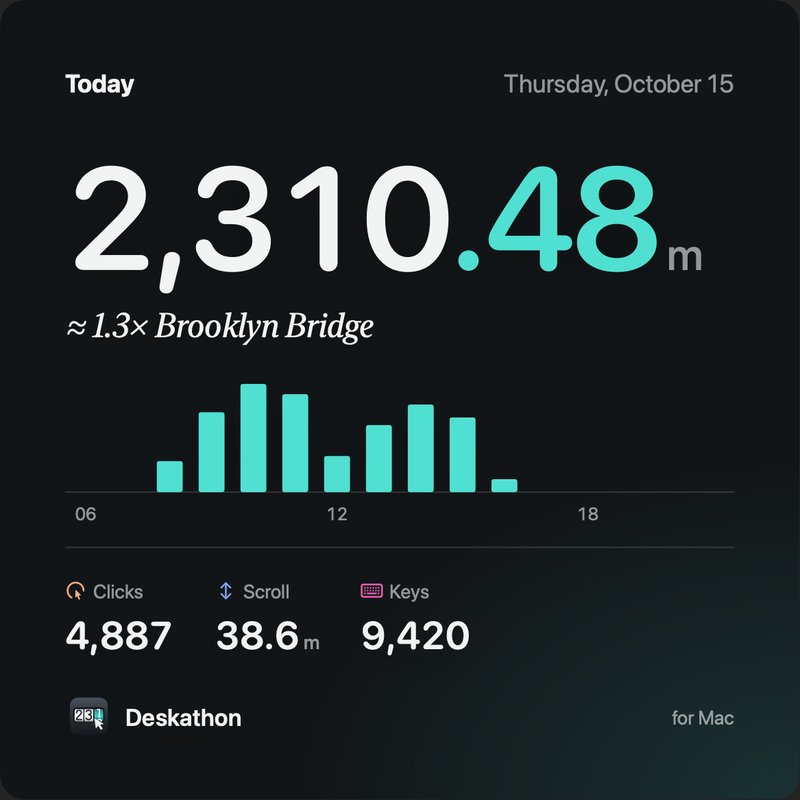
- A title: Today, This week or Lifetime.
- A date line: the day, the week’s date range, or “Since” followed by the date you started counting.
- Your distance in large type, with a landmark comparison (or a trip, on the lifetime card).
- A small chart: the hours from 6 AM to 9 PM for Today (stretched to include any earlier or later hour you moved the pointer), 7 days for a week, and the months of the current year for Lifetime.
- The stats you included.
- On the Story format only, a progress ruler.
- A footer that reads Deskathon and “for Mac”.
Locked cards
Without Pro, This Week, Lifetime and Story show a lock. Click one and Deskathon closes the share sheet and opens the Pro sheet. Nothing is bought until you choose to. Today in the Square format is always free.